
MyPerfectResume Builder
BoldGoogleAppsBusiness
4.01.67K Reviews
- Version
- 2.0.8
- Installs
- 100.00K
- Age Rating
- Everyone
Screenshots

Our Review of MyPerfectResume Builder
 Analysis by Appyee
My first impression of MyPerfectResume Builder is that it is most useful when you know what you have done but are not sure how to put it into a clear, convincing resume. Instead of making you face a blank page alone, it guides you through the writing process. That focus matters: the strongest resume is not the one with the fanciest wording, but the one that makes your experience easy for an employer to understand.
Guidance that turns a blank page into a draft
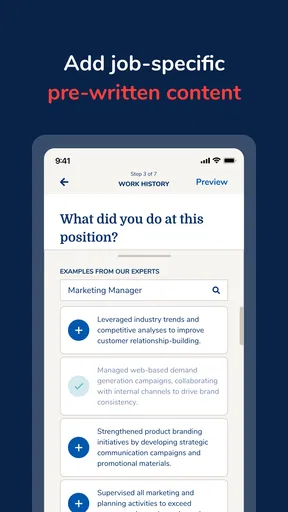
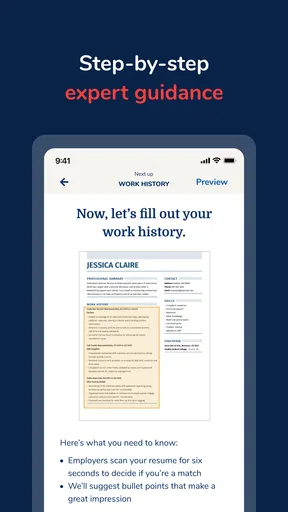
The central appeal is the app’s step-by-step approach to gathering work history, skills, and education, with wording suggestions along the way. I see this as a practical starting point rather than a substitute for your judgment. Prompts can help you remember responsibilities you might otherwise leave out, but you still need to choose the examples that show what you contributed and make sure each claim is accurate.
A useful way to work is to begin with a rough inventory before polishing anything: jot down roles, dates, tools you used, tasks you handled, and any results you can honestly describe. Then use the app’s prompts to shape that material into concise entries. This reduces the temptation to accept a suggested phrase simply because it sounds professional. The best results come when the app helps organize your evidence, while you supply the specifics.
This distinction is especially important if you are early in your career or returning to work. You may not have a long list of formal job titles, but you can still identify relevant coursework, volunteer responsibilities, practical projects, or transferable skills. The builder can help you arrange information; it cannot decide which experience is meaningful for the job you want. I would treat its suggestions as editing prompts, not as ready-made proof of your strengths.
Tailoring without losing your own story
The article’s most distinctive workflow is tailoring a resume to a particular job description: you can paste in a listing, and the app analyzes its keywords and suggests changes. That can be helpful when an advert uses terminology you would not naturally think to include. It also gives you a reason to compare your resume with the employer’s stated needs instead of sending the same version everywhere.
I would use that feature selectively. Read the listing first and identify its real priorities, then consider whether the suggested terms accurately describe your background. If a phrase does not fit your experience, leave it out; matching a keyword is not worth making a claim you cannot support in an interview. A good tailored resume reflects a genuine connection between the role and your skills, not a patchwork of copied language.
For a busy applicant, a simple two-version routine can keep the process manageable: maintain one fuller master resume, then make a focused copy for each promising opening. Adjust the summary and the most relevant experience rather than rewriting every section each time. This also makes it easier to spot whether an application is genuinely suited to you. The app’s guidance can help with wording, but the decision about what to emphasize should remain yours.
A realistic way to fit it into a job search
Picture a weekday evening after work: you find a role that looks promising, but the application deadline is close and your resume still describes your previous position in broad terms. Rather than starting from scratch, you can work through the relevant sections, bring forward responsibilities that match the vacancy, and check the wording against the job description. Because progress can be saved, you can pause if you need to verify a date or think through a detail instead of rushing into a guess.
That pause is valuable. Before editing, gather accurate employment dates, education details, and examples of work you are comfortable discussing. If you are unsure whether a task belongs on the resume, ask whether it demonstrates a skill the role actually needs. This small preparation makes a guided builder more useful and helps prevent a polished-looking document from being vague or overstated.
Once you have a draft, use a second pass for substance and a separate pass for presentation. On the substance pass, check whether each bullet says what you did and gives enough context to make it understandable. On the presentation pass, look for awkward line breaks, inconsistent dates, or sections that feel crowded. Separating these checks is more effective than trying to judge content and layout at the same time.
Getting Started with MyPerfectResume Builder
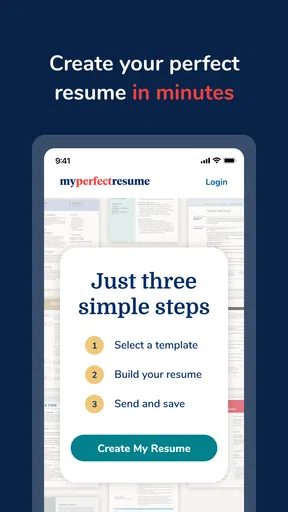
First things first, downloading the app is a breeze. Available on both Android and iOS, it took just a couple of minutes to install. Once you open it, you're greeted with a clean, intuitive interface that immediately feels user-friendly. No need for a tutorial here; you can dive right in.
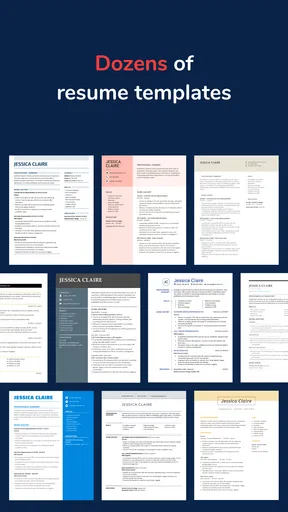
The app offers a variety of templates to suit different styles and industries. Whether you're going for a sleek, modern look or something more traditional, MyPerfectResume Builder has got you covered. I found myself scrolling through templates more than I planned simply because they were all so appealing.
Features That Stand Out
One of the standout features is its step-by-step guidance. For someone like me who tends to overthink every word, this was a lifesaver. The app prompts you with questions about your work history, skills, and education, and even offers suggestions for phrasing. It’s almost like having a professional resume writer by your side.
Another neat feature is the app’s ability to tailor resumes for specific job descriptions. You can paste a job listing into the app, and it will analyze the keywords and suggest changes to your resume to make it more relevant. This feature is pure gold, especially if you're trying to beat those pesky ATS systems.
Using the App
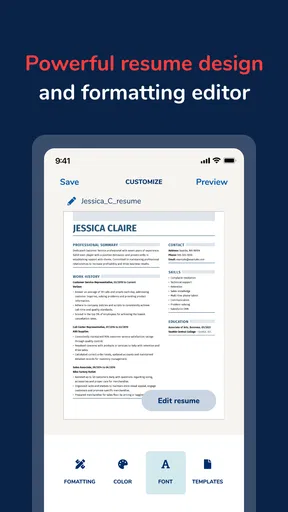
Using the app is straightforward. You can save your progress at any point, which is great if life interrupts your creative flow. I found it convenient to work on my resume in chunks, tweaking sections here and there whenever I had a spare moment.
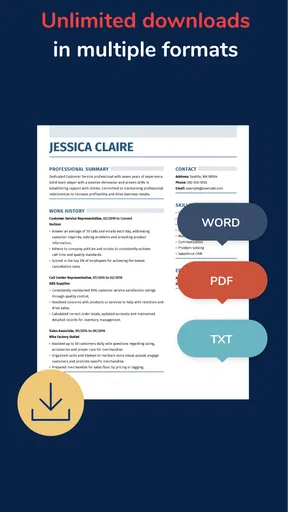
The export options are versatile too. You can download your resume in multiple formats including PDF and Word, making it easy to submit it anywhere. I tested this feature by sending my resume to a couple of friends for feedback, and it worked flawlessly.
Choosing a format that fits the role
When deciding between the available templates, I would start with the employer and the kind of work rather than with whichever design looks most striking. A restrained layout is often easier to scan for a conventional office role, while a creative applicant may prefer a little more visual character. Either way, readability should win over decoration. A hiring manager should be able to find your recent experience and relevant skills without having to hunt through elaborate styling.
That is also where a resume builder differs from a blank document or a general-purpose word processor. A word processor offers more freedom, but it asks you to make every structural decision yourself. A builder can be friendlier when you need prompts and a ready-made layout; the trade-off is that you may have less control over the fine details. If your resume needs an unusual structure or highly specific design, a desktop editor may be a better fit.
Before exporting, check that the template has not pushed important information onto an awkward page break and that the final file still looks orderly. If an employer asks for a particular file type, follow that instruction rather than choosing based on habit. The app’s PDF and Word options are useful for common application workflows, but a quick review of the exported document is still part of the job.
Who Will Benefit the Most?
Honestly, I think MyPerfectResume Builder is a fantastic tool for just about anyone looking to spruce up their resume. Whether you're a recent grad, switching careers, or just want to ensure your CV is top-notch, this app can help.
For job seekers in creative fields, the customizable templates allow for a bit of flair without going overboard. Meanwhile, those in more conservative industries can keep it classic and straightforward. It's this flexibility that makes the app so appealing to a wide audience.
Where it fits among job-search tools
MyPerfectResume Builder is a business app from BoldGoogleApps, and it is free to install, with in-app purchases listed from about twenty-four to seventy-one dollars per item. I would treat the free starting point as a chance to see whether the guided process suits you, then check the price and terms shown in the app before committing to anything. A builder’s convenience is only worthwhile if the cost makes sense for how often you expect to use it.
Its audience is clearest among people who want structure: first-time applicants, career changers who need to translate experience into a new field, and anyone who finds resume writing unusually slow. If you already have a well-edited document and only need to change a few lines, opening a word processor may be quicker. If you need detailed career coaching, a template-based app is not a replacement for a knowledgeable human reviewer who can challenge your choices and help you tell a stronger story.
The app is rated for Everyone, has an average of 3.8 from around 4,900 ratings, and has drawn roughly 1,600 written reviews. It has passed 100,000 installs. Those figures suggest it has found an audience, but they do not tell me whether a particular template or paid option will suit your needs; I would judge it by trying the workflow with a real vacancy and a draft you can assess for yourself.
A Few Words of Caution
While the app is packed with features, it’s important to remember that a tool is only as good as the information you put into it. Be honest and detailed in your inputs to get the best results. Also, some templates and features are behind a paywall, so be prepared for that if you’re looking to access the premium content.
Additionally, like with any resume builder, double-check the final output for any errors or formatting issues. A quick review can save you the embarrassment of submitting a resume with a glaring typo.
Questions worth answering before you rely on it
Can you use it if you are not ready to finish your resume in one sitting? The save-progress option makes that practical: you can stop to confirm a detail and return when you are ready. I would still keep your source information somewhere you can refer to, especially if you are preparing several applications and want dates and job titles to stay consistent.
Will keyword suggestions make an application successful on their own? No. They can help you notice relevant language in a listing, but an employer still needs clear evidence that you can do the work. Use the suggestions as a prompt to make accurate experience easier to find, not as a way to stuff a resume with terms that do not describe you.
Is it a good choice for someone who wants complete design control? It may not be. The templates make getting started easier, but people who want unusually precise typography, layout, or visual storytelling may be happier in a flexible document editor. Likewise, if you only need a one-line correction to an existing resume, rebuilding it in an app could add unnecessary steps.
My practical recommendation is to test the guided workflow with one real job advert before building a whole application routine around it. That gives you a fair sense of whether the prompts help you write more clearly, whether the template feels appropriate, and whether any paid option is worth considering. The app is available from version 2.0.7 and requires Android 7.0 or later, details that matter if you are checking compatibility before installing.
Final Thoughts
After spending some quality time with MyPerfectResume Builder, I can confidently say it’s a solid choice for anyone looking to craft a standout resume. Its user-friendly design, coupled with powerful features, makes it a top contender in the resume-building space.
If you're on the hunt for a job or just want to keep your resume up-to-date, give this app a try. It might just be the helping hand you need to land your next big opportunity.
Verdict
Strengths of MyPerfectResume Builder
- User-friendly interface makes resume creation easy.
- Wide variety of templates for different industries.
- Step-by-step guidance simplifies the process.
- Easy export options to multiple formats.
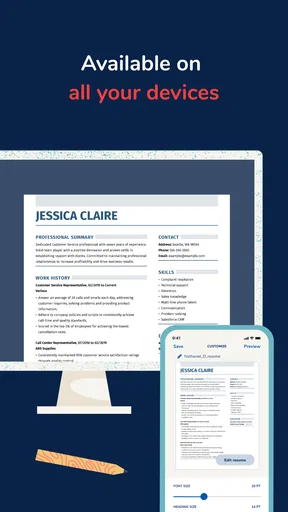
- Mobile access allows edits on the go.
Limitations of MyPerfectResume Builder
- Limited free features; many require subscription.
- Some templates feel outdated or generic.
- Occasional app crashes can disrupt progress.
- Ads can be intrusive in the free version.
- Lacks integration with certain job platforms.
Other Releases by BoldGoogleApps
View All
Remote Jobs Search - FlexJobs
Business4.1
Similar Picks in This Category
View All
LinkedIn: Community & Network
LinkedIn3.8

Zoom Workplace
zoom.com4.1

Microsoft Teams
Microsoft Corporation4.6

Meta Business Suite
Meta Platforms, Inc.4.6

Webex Meetings
Cisco Systems, Inc.4.5

TeamViewer Remote Control
TeamViewer4.4
Frequently Asked Questions
What features does MyPerfectResume Builder offer?
MyPerfectResume Builder provides a variety of features to help users create professional resumes. It offers customizable templates, pre-written examples, and step-by-step guidance. Additionally, the app includes a cover letter builder, skill suggestions, and formatting tools to ensure your resume stands out. These features make it suitable for both beginners and seasoned professionals.
Is MyPerfectResume Builder free to use?
MyPerfectResume Builder offers a freemium model. Users can start creating resumes for free using basic features. However, access to premium templates, personalized guidance, and advanced formatting options may require a subscription or one-time purchase. Always check the app store for the latest pricing information before downloading.
Can I export my resume to different formats?
Yes, MyPerfectResume Builder allows users to export their resumes in various formats, including PDF and Word. This ensures compatibility and ease of sharing with potential employers. The app’s export options make it convenient to upload or email your resume directly from your device, catering to different submission preferences.
Is MyPerfectResume Builder suitable for all career levels?
MyPerfectResume Builder is designed to cater to users at all career levels, from entry-level job seekers to experienced professionals. The app offers tailored suggestions and examples for a wide range of industries, ensuring that your resume is relevant and impactful regardless of your career stage or field.
How secure is my data on MyPerfectResume Builder?
The app takes data security seriously, employing encryption and secure servers to protect your personal information. However, it's important to review the app’s privacy policy to understand how your data is used and stored. Always ensure you’re comfortable with the terms before inputting sensitive information.
